A website redesign is one of the most important investments a business can make. Whether you run a small business, an e-commerce store, a portfolio, or a service-based brand, your website is often the first impression people have of you.
But knowing how to redesign a website the right way makes all the difference. A successful website redesign goes beyond updating your logo design and color scheme. It is about improving strategy, usability, content, technical performance, and business results simultaneously.
This guide walks you through the full website redesign process, from auditing what you have today to protecting your SEO and avoiding the most common mistakes teams make along the way.
Website Redesign, Website Refresh, or Website Rebuild: What Is the Difference?
Before jumping into the how, it helps to know what kind of project you are actually dealing with. Many people use these terms interchangeably, but they mean very different things.
|
Website refresh
|
Smaller updates to visuals, copy, images, or selected pages
|
|
Website redesign
|
A broader update to design, structure, content, UX, SEO, and performance
|
|
Website rebuild
|
A deeper technical rebuild, often involving a new platform, codebase, or CMS
|
Knowing which type of project you need helps you set a realistic scope, timeline, and budget before you start.
When Should You Redesign Your Website?
Not every website needs a full redesign right now. But there are clear signs that your site is holding your business back rather than helping it grow.
Here are the most common ones to watch for.
- Your site is not mobile-friendly and users struggle to navigate it on a phone
- Your bounce rate is high and visitors leave quickly without taking action
- Your website conversion rate has dropped or have never been where you want it
- Your branding or logo design has changed but your website has not caught up
- Pages load slowly and you are failing Core Web Vitals benchmarks
- Your site structure makes it hard for users to find what they need
- You have added so much content over time that the site feels cluttered and disorganized
- Your competitors have visibly better websites and you are losing leads because of it
A good rule of thumb is to evaluate your website every two to three years. As technology, user expectations, and your business evolve, your website should keep up.
How Do You Redesign a Website?
Here is a step-by-step overview of the website redesign process. Each step builds on the last, so following the order matters.
- Audit your current website. Review your existing pages, content, performance data, and SEO health. Identify what to keep, what to cut, and what to update. This step tells you exactly what you are working with.
- Review your analytics. Look at traffic sources, top-performing pages, and conversion data. Use this to guide decisions about what to improve and what to protect.
- Set your redesign goals. Define what success looks like. Set specific, measurable targets for traffic, leads, conversions, or speed improvements.
- Update branding and messaging. If your brand has evolved, this is the time to bring your website in line with your current identity. This includes your logo design, color combinations, typography, and tone of voice across all pages.
- Improve UX and navigation. Rethink how users move through your site. A clear, logical website navigation helps visitors find what they need quickly. Good UX design reduces friction and keeps people engaged.
- Refresh your content. Update outdated copy, replace old images, and strengthen your calls to action. Make sure your content speaks clearly to the audience you are trying to reach today.
- Protect your SEO. Plan your redirects, update your sitemap, and review your on-page SEO elements before anything goes live.
- Test before you launch. Test every link, form, and page on both desktop and mobile before going live. Use a website launch checklist to make sure nothing gets missed.
- Measure post-launch performance. Track your results against the goals you set at the start. Review traffic, rankings, conversions, and page speed in the weeks following launch.
How Do You Redesign a Website Without Losing SEO?
SEO protection is one of the most critical parts of any website redesign. If you change URLs, remove pages, or restructure your site without a plan, you can lose rankings and traffic that took years to build.
Here is what to do to redesign your website without losing SEO.
Keep a record of all existing URLs
Before you change anything, crawl your current site with a tool like Screaming Frog or Ahrefs and export every URL. This becomes your reference point for the entire SEO migration.
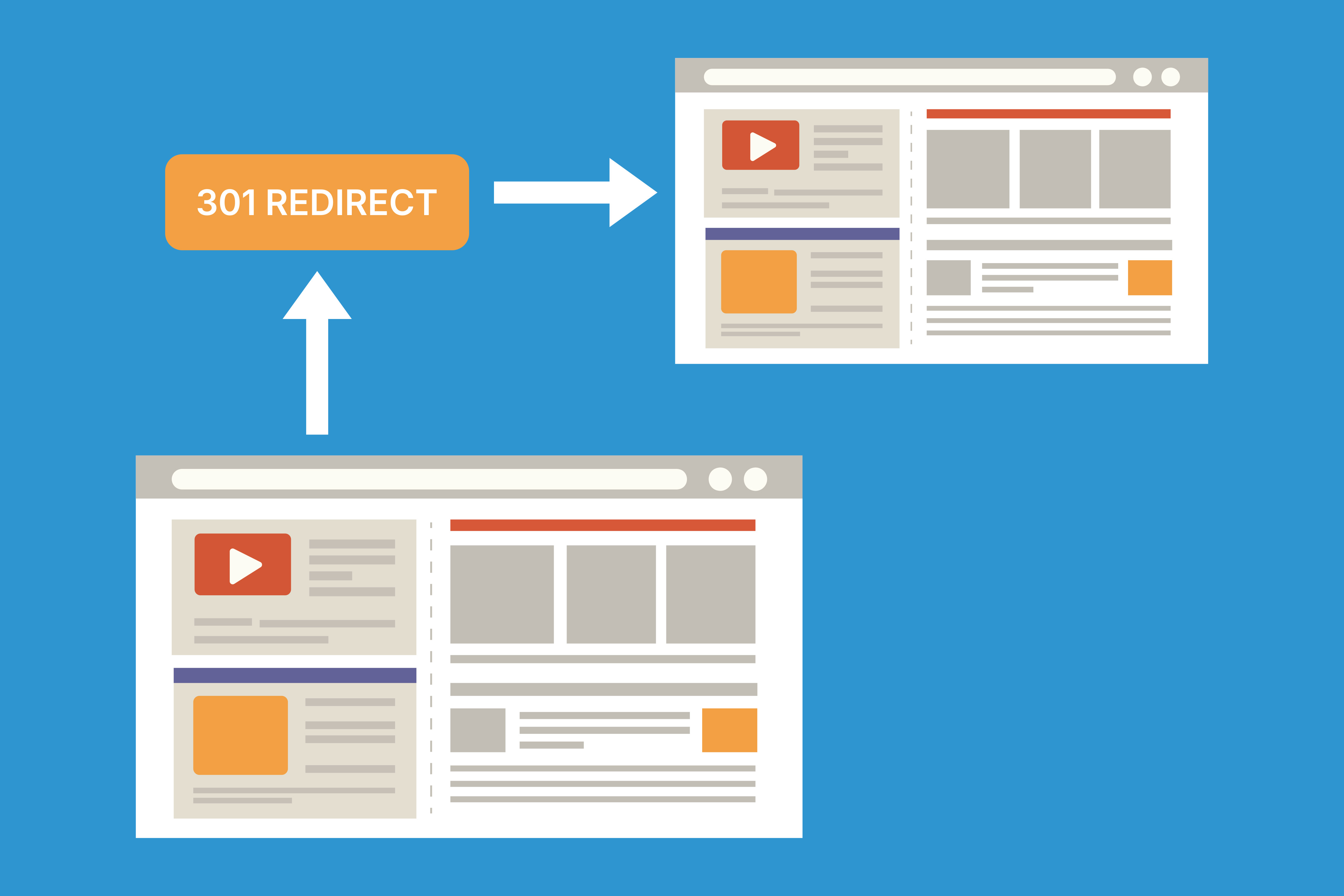
Set up 301 redirects
If any page URLs change during your redesign, set up 301 redirects from the old URL to the new one. Redirects matter because they help search engines and users find the new version of an old page. Without them, you lose the ranking power that the page had built up over time.
Preserve high-performing pages
Any page that already ranks well or drives consistent traffic should stay as close as possible to its original URL and structure. These pages are assets. Treat them like ones.
Update your sitemap and submit it to Google
Once your redesigned site is live, update your XML sitemap and submit it to Google Search Console. This tells Google about your new structure, speeding up the indexing of your updated pages.
Maintain on-page SEO elements
Review every page title, meta description, heading tag structure, and image alt text during the redesign. These on-page signals help search engines understand what your content is about.
Test core web vitals before launch
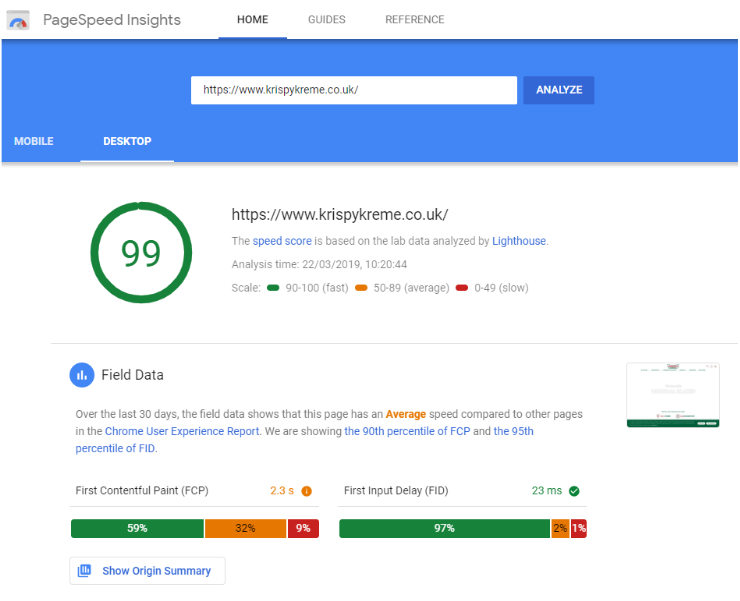
Source
Google uses Core Web Vitals as part of its ranking signals. Before you launch, run your redesigned site through Google PageSpeed Insights and fix any issues with page speed, layout shift, or interactivity.
Website Redesign Checklist
Use this as a quick reference to ensure nothing slips through the cracks during your redesign.
Before you start
- List all existing URLs to protect during SEO migration
- Define your redesign goals and success metrics
- Review competitor websites for benchmark ideas
- Confirm branding direction, including any logo design updates
During the redesign
- Update or refresh your brand identity and visual style
- Rewrite or update content on all key pages
- Improve site navigation and page structure
- Ensure the site is fully mobile-friendly
- Optimize page speed and Core Web Vitals scores
- Build 301 redirects for any changed or removed URLs
- Update your sitemap and submit it to Google Search Console
Before launch
- Test all links, forms, and calls to action
- Run a mobile and desktop usability check
- Review page titles, meta descriptions, and heading tags
- Confirm all redirects are working correctly
- Set up or verify analytics tracking
- Do a final speed and performance test
After launch
- Check Google Search Console for crawl errors
- Gather user feedback through surveys or heatmaps
- Compare post-launch performance to your baseline metrics
- Make adjustments based on what the data shows
What Are the Biggest Website Redesign Mistakes to Avoid?
Most website redesign problems are avoidable. The following mistakes keep popping up across small business websites, e-commerce stores, and service brands alike.
Redesigning based on opinion rather than data
Changing your site because it feels outdated is different from changing it because your data tells you it is underperforming. Let your analytics, user feedback, and conversion data guide the decisions. Gut feelings are a starting point, not a strategy.
Ignoring SEO during the redesign
One of the most common and costly website redesign mistakes is failing to protect your search rankings during the process. If your development team does not have a clear SEO migration plan, make one before they start building.
Skipping the website audit
Starting a redesign without auditing your current site means you might remove pages that drive traffic or delete content that actually works. The audit gives you the full picture before you make changes.
Launching without testing
Broken forms, missing pages, and redirect errors are embarrassing and costly. Always run through a full website launch checklist before going live. Test on multiple devices and browsers, not just your own laptop.
Focusing only on visuals
A pretty website that does not convert is still a problem. Your redesign should improve strategy, content, UX, and technical performance alongside the visual design. Looks matter, but results matter more.
Forgetting to set baseline metrics
If you do not record where your site stands before the redesign, you will have nothing to compare your results against afterward. Pull your traffic, rankings, and conversion data before you change anything.
Knowing How to Redesign a Website Is a Competitive Advantage
A website redesign done right is not just a visual upgrade. It is a strategic investment that improves how your site performs for real users and search engines alike. The businesses that get the most out of a website redesign are the ones that audit first, plan carefully, protect their SEO, and measure everything after launch.
If your current site is holding you back, the best time to start is now. Design.com gives you everything you need to get there, from a website builder to logo design, business cards, and other brand tools built for small business owners, creators, and teams who want professional results without the complexity.
For a more custom approach, DesignCrowd connects you with professional designers from around the world who can bring your vision to life, whether that means a full brand refresh, a new logo, or design assets for your newly redesigned site.
Read more on website design here:
Hannah Suroy suroy brings clarity to complex topics across entertainment, business, and creative industries. She specializes in translating industry trends and innovations into engaging content that helps readers understand the creative process behind the work they love.
Written by DesignCrowd on Wednesday, June 3, 2026
DesignCrowd is an online marketplace providing logo, website, print and graphic design services by providing access to freelance graphic designers and design studios around the world.
